How to Create Pre-Order Items in Shopify?
(Step-by-Step Guide)
Pre-orders allow customers to purchase products before they are in stock. This is useful for upcoming launches, restocks, limited editions, or made-to-order items. Shopify doesn’t have a “Pre-Order” button by default, but you can easily set it up using built-in settings, theme options, or apps.
🔎 What Is a Pre-Order in Shopify?
A pre-order lets customers:
-
Buy an item before it’s available
-
Pay now (or later, depending on setup)
-
Understand clearly that delivery happens later
Common use cases:
-
New product launches
-
Back-in-stock items
-
Seasonal or limited releases
-
Made-to-order products
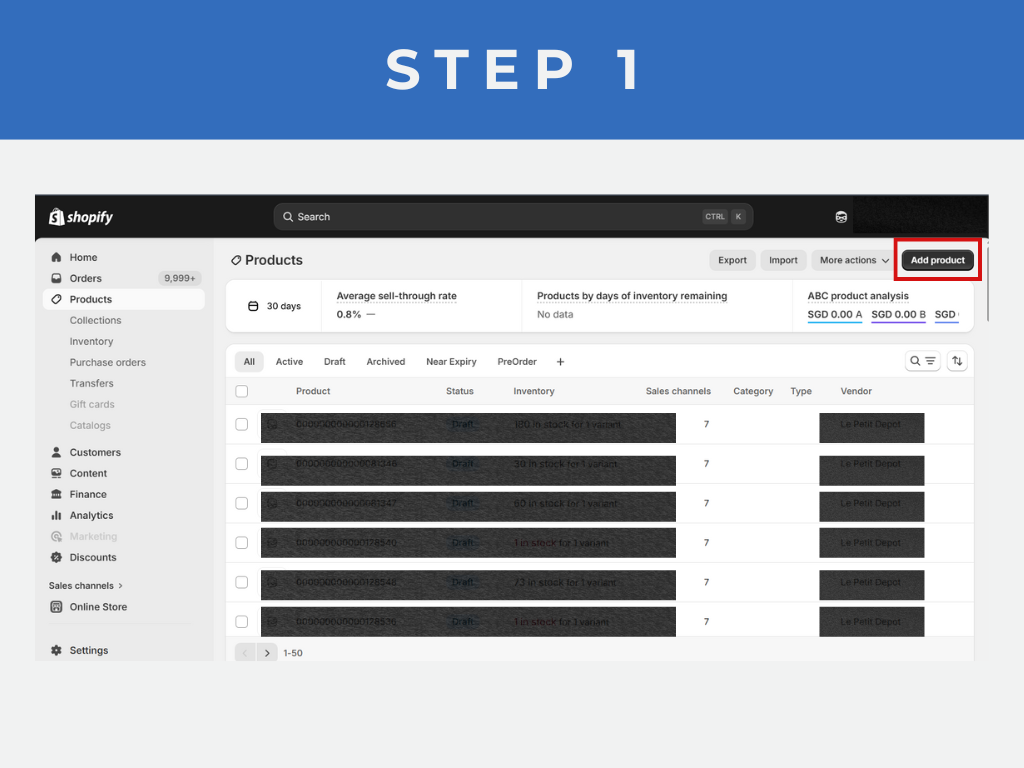
Step 1: Create or Open the Product
1. Go to Products → All products
2. Click Add product (or open an existing product)
Why this matters:
Pre-order products are still normal Shopify products — the difference is how inventory and messaging are handled.
2. Click Add product (or open an existing product)
Why this matters:
Pre-order products are still normal Shopify products — the difference is how inventory and messaging are handled.
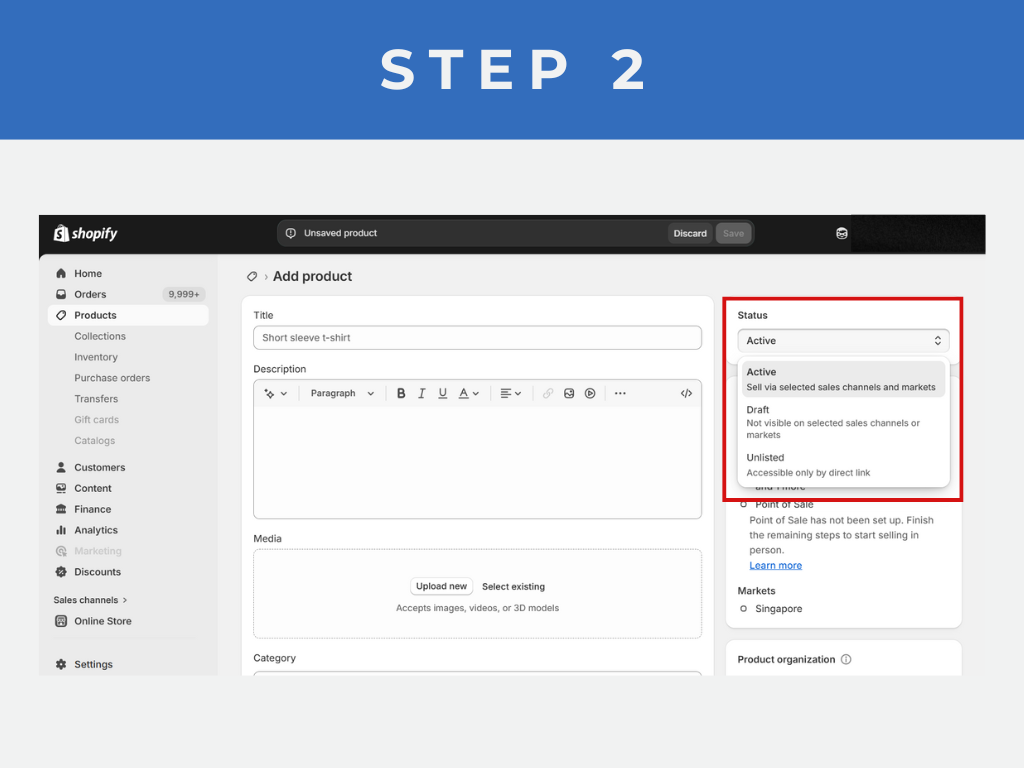
Step 2: Set Product Status to Active
1. On the right-hand panel, set Status = Active
2. Make sure Online Store sales channel is enabled
Why:
Pre-order products must still be published to be purchasable.
2. Make sure Online Store sales channel is enabled
Why:
Pre-order products must still be published to be purchasable.
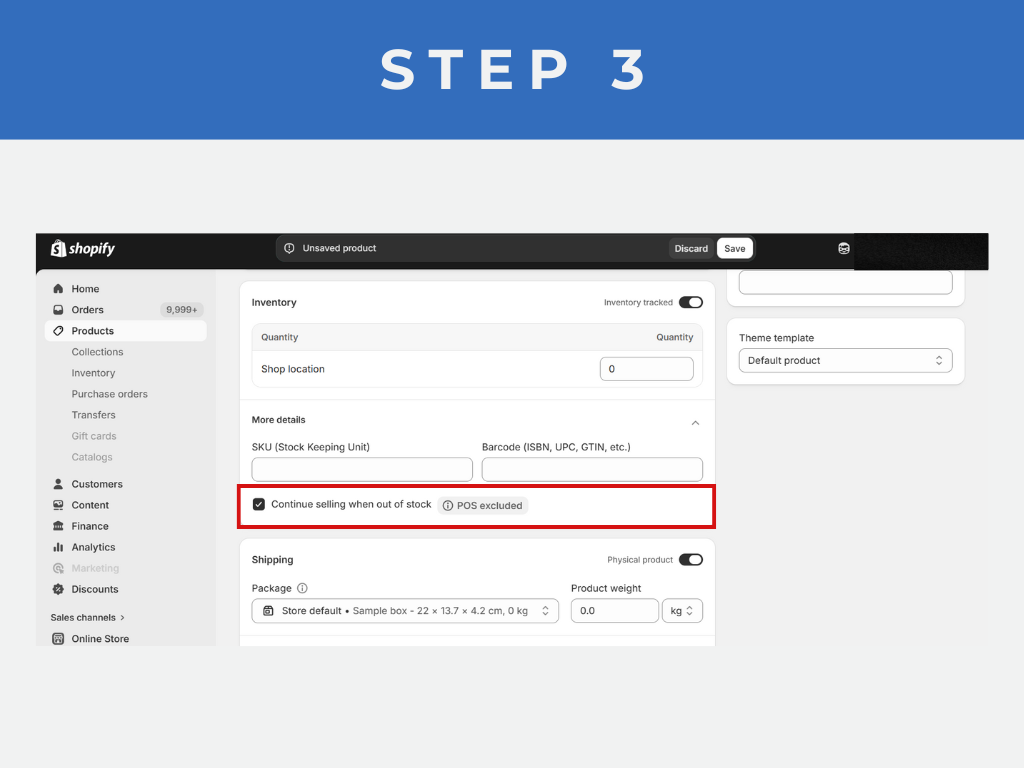
Step 3: Enable “Continue Selling When Out of Stock”
1. Scroll to the Inventory section
2. Check: 👉 Continue selling when out of stock
3. Save the product
✅ This is the core pre-order setting
What this does: It allows customers to place orders even when inventory reaches zero or is unavailable.
2. Check: 👉 Continue selling when out of stock
3. Save the product
✅ This is the core pre-order setting
What this does: It allows customers to place orders even when inventory reaches zero or is unavailable.
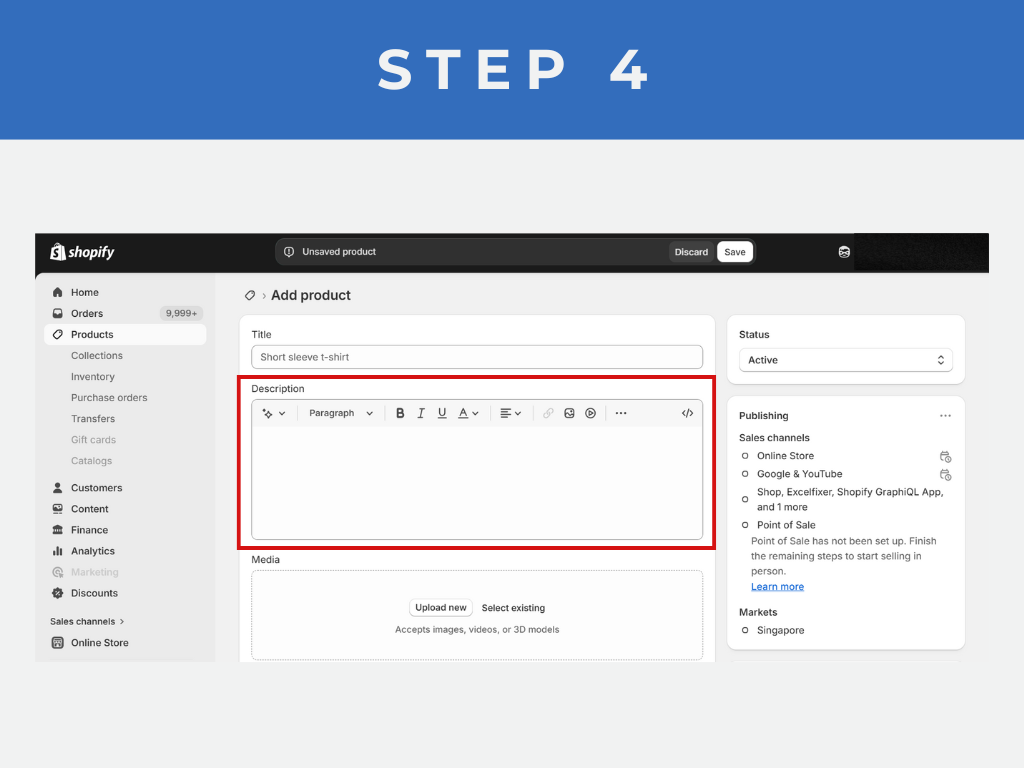
Step 4: Update Product Description to Mention Pre-Order
Clearly inform customers.
1. Example text (copy-paste ready):
📦 Pre-Order Item
This product is available for pre-order. Orders will be shipped once stock arrives. Estimated delivery date will be shared via email.
Why this is important:
1. Reduces refunds
2. Improves customer trust
3. Required for payment providers in some regions
1. Example text (copy-paste ready):
📦 Pre-Order Item
This product is available for pre-order. Orders will be shipped once stock arrives. Estimated delivery date will be shared via email.
Why this is important:
1. Reduces refunds
2. Improves customer trust
3. Required for payment providers in some regions
Step 5: Test the Pre-Order Product
Before launching:
1. View product on storefront
2. Add to cart
3. Proceed to checkout
4. Confirm order can be placed with zero stock
1. View product on storefront
2. Add to cart
3. Proceed to checkout
4. Confirm order can be placed with zero stock
February 16, 2026

January 27, 2026

January 19, 2026